
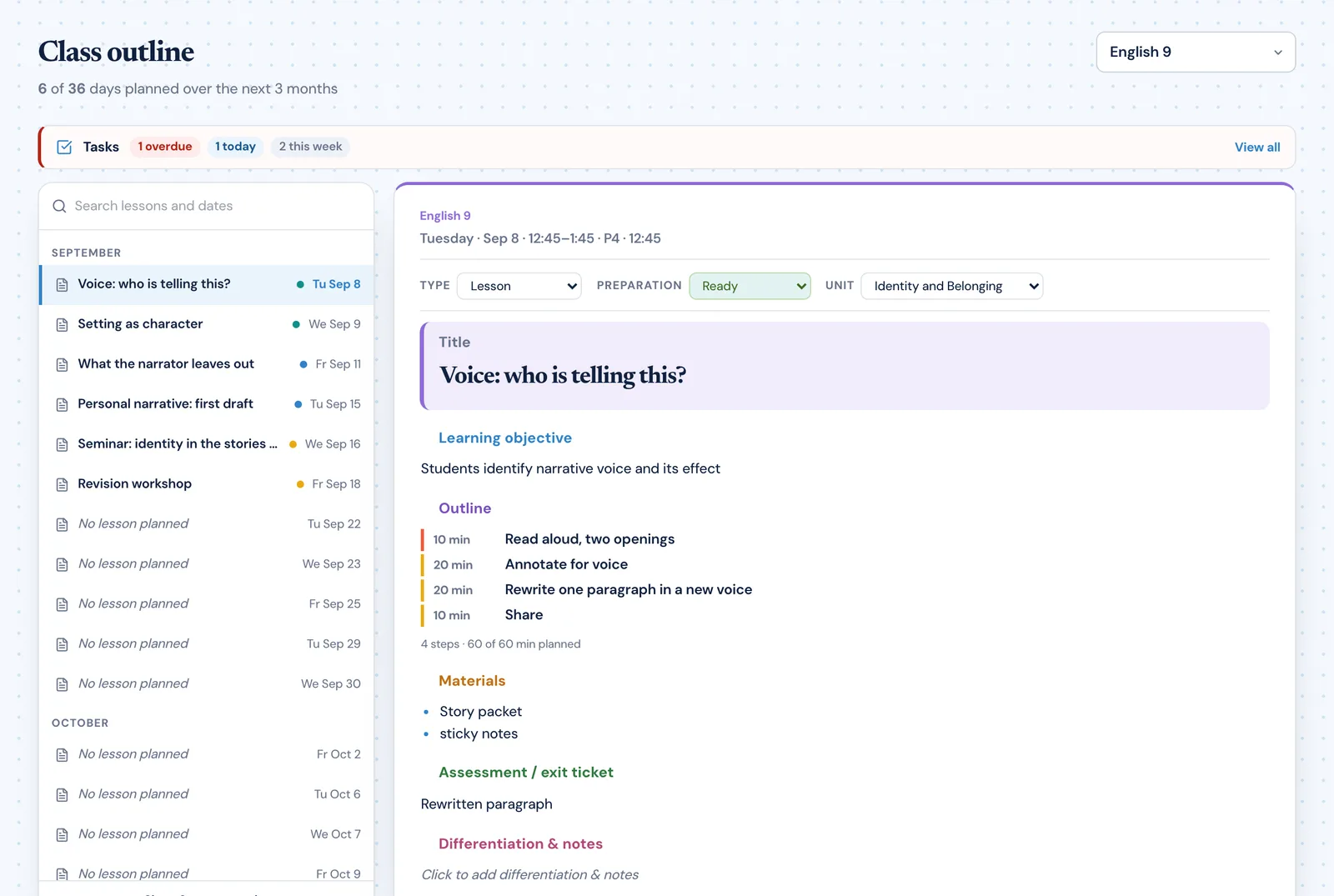
What should a new teacher set up first in Planlark?
Start with the school schedule and class blocks. Once those are correct, weekly planning, unit planning, outcome mapping, and Lark actions all become much more reliable.
This help center explains the core Planlark workflows step by step: setup, curriculum import, unit planning, Lark AI, assessments, weekly planning, and debrief.
Set up the schedule
Get cycle days, class blocks, holidays, and planner context correct before generating anything with AI.
Import curriculum
Bring in outcomes, check the QA summary, and confirm the structure before you build from it.
Plan the unit
Turn source material into units and lesson sequences that land on real class dates.
Teach and adjust
Use the weekly planner, debriefs, and Lark edits to keep the plan grounded in what really happened.
Public, indexable help pages for the main product workflows.
Step-by-step instructions instead of generic feature descriptions.
Internal links to related guides and feature pages for deeper learning.
All guides
These are not generic support summaries. Each page explains where the workflow starts, what to review, and what to ask Lark next.
Filter by workflow
Showing 6 of 6 guides.
Set up your schedule, classes, and first planning workflow so the weekly planner, units, and AI actions all use the right school context.
Paste curriculum text or ask Lark to import a framework, then review sub-outcomes, guiding questions, QA warnings, and shared-library approval before planning from it.
Use the Unit Planner to create a unit, add source material, generate lesson sequences on real dates, and keep outcomes tied to the plan.
Use Lark by text or voice to create, edit, delete, reschedule, and explain planning work across lessons, units, outcomes, and assessments.
Build quizzes, exit tickets, standard assignments, and text-based assignments with answer keys, editable question types, and AI control over each assessment.
Use the weekly and daily planner views to track real class dates, move lessons safely, spot gaps, and feed debrief notes back into the next plan.
FAQ
Start with the school schedule and class blocks. Once those are correct, weekly planning, unit planning, outcome mapping, and Lark actions all become much more reliable.
Yes. The help guides are meant to show both first-time setup and more advanced workflows such as curriculum import, unit sequencing, and assessment building.
The goal of the product is AI that can create, edit, delete, reschedule, and regenerate real planning records. The help guides explain where those actions fit into the workflow.
Early access
Join early access and use Planlark with your real classes, schedule, curriculum, and planning context.
No credit card required. Early access updates only.